Tuesday, May 10, 2022

How to fix a jumbled up OBS Screen?

This is a quick tip on how to unscramble the OBS window when your monitor loses power or resolution changes occur.

Here is how OBS screen jumbles up when my monitor is shutoff or lost power.

obs window error

When playing certain games or even having a screensaver with power saving mode on, the obs window can start to mess up as shown in the above screenshot.  In order to fix it and get it back to normal, go to the Obs program, make sure its in focus and then press F11 which will put it into full screen.  Press F11 again to bring it back to a window.

This should fix the screen ui issue with OBS.

Friday, April 1, 2022

Twitch Customer Service Number: The Truth and How to Actually Get Help Fast

Twitch Customer Service Number: What You Really Need to Know and How to Get Help Fast

If you are searching for a Twitch customer service phone number right now you are likely dealing with a frustrating account problem a payment issue or a stream that refuses to work properly. You are not alone in this. Millions of streamers and viewers hit the same roadblock every single month. The good news is Twitch offers reliable support options. The downside is they have never listed a public phone number for customer service.

Twitch has never offered a general customer service phone line and that has not changed as of 2026. The platform created a smart digital first system centered on their Help Center and a ticket based support process that actually works well once you know exactly how to use it. Here is the complete up to date guide to getting real help from Twitch without wasting time on dead ends.

Why Twitch Does Not Offer a Phone Number for Support

Operating a huge live streaming platform with tens of millions of daily users means managing a massive number of questions. Traditional phone support simply does not scale for Twitch. That is why they focus on self service articles guided forms and a responsive ticket system. Official replies usually arrive within about 12 hours and many problems get solved even faster directly inside the Help Center.

The Best Way to Contact Twitch Support in 2026

Your starting point should always be the official Twitch Help Center. Here is the exact path that delivers results:

  1. Visit help.twitch.tv and search your exact issue with clear keywords.
  2. Read through the detailed guides. Most everyday problems such as password resets two factor authentication trouble billing questions or channel suspensions already have clear step by step fixes.
  3. If the articles do not solve it click directly to the Contact Support page.
  4. Log in with your Twitch account complete the form fully and submit your ticket. Twitch reviews these requests around the clock.

Pro tip: The more specific and calm your description the faster the specialists can assist you. Include screenshots error codes and what you have already tried.

Live Chat Support When It Is Available

After you select your issue category in the Help Center watch for the Chat with Twitch Support button. Live chat appears for certain problems and often provides the quickest route when it shows up. It is not guaranteed for every request but it is always worth checking.

Other Useful Ways to Reach Twitch

Besides the main ticket system a few extra channels can help speed things along:

  • @TwitchSupport on X (Twitter): Excellent for trending technical issues or quick visibility. They stay active on weekdays during Pacific business hours and often reply publicly or escalate things quietly.
  • Partner and Affiliate Support: If you are a Partner or an Affiliate your ticket routes to a priority queue automatically when you submit it while logged into that account.
  • In app reporting tools: For safety harassment or community guideline problems use the built in report buttons first. They connect straight to the right team.

Important Warning: Stay Away from Fake Phone Numbers

You may come across websites listing numbers such as 1 415 262 9766 as Twitch customer service. These are not official and you should ignore them entirely. Stick only to links that begin with help.twitch.tv. Real support will never ask for your password or payment details over the phone or in any unexpected messages.

Smart Tips to Receive Faster Help

Make your support experience smoother by following these simple habits:

  • Double check your email including the spam folder after you submit a ticket.
  • Try basic troubleshooting first and mention those steps in your ticket.
  • Select the exact category that matches your problem so your request reaches the right specialist.
  • Stay patient because high volume days can stretch response times a bit but clear details almost always move things along quicker.

Twitch support may feel different from traditional phone help but once you follow the right path it proves pretty effective. Next time you need assistance skip the phone number search and head straight to the Help Center. You will save time and receive answers from the people who handle Twitch issues every day.

Need help right now? Start your support ticket here and follow the guided process. You have got this.

Thursday, December 30, 2021

Does a green color border around your profile picture make any difference?

Does a Bright Green Border on Your Twitch Profile Picture Actually Get More Clicks? Exploring Color Psychology in Streaming

Picture this. You are casually browsing Twitch, scanning through the sidebar or recommended channels, and certain profile pictures just seem to jump out at you. One streamer recently swapped their default border for a vibrant bright green one, and it immediately sparked curiosity about color psychology in streaming.

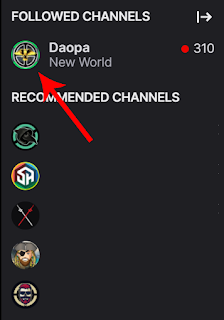
That streamer was me, experimenting with how small design tweaks can influence viewer behavior on the platform. Here is what the updated profile picture looks like with its fresh green border.

DaOpa Green Border profile picture

When Twitch processes the image, it crops everything into a clean circle for the sidebar and other views. Take a look at how it appears in the actual interface.

sidebar section twitch

Notice how the green-bordered avatar stands out compared to the standard black or darker borders on nearby profiles. A couple of other streamers nearby also use greenish tones, while the bottom ones blend in more with traditional black borders. This raises an interesting question for every content creator: Can a simple color choice around your profile picture drive more clicks and follows?

The Psychology of Green in Branding and Design

Green is far from a random choice. According to color psychology, green strongly connects with nature, growth, renewal, and vitality. It is the color of fresh spring leaves, financial prosperity, health, and balance. Bright greens in particular bring energy, positivity, and a sense of forward movement.

In marketing and branding, companies in wellness, finance, and sustainability lean heavily on green because it inspires feelings of trust, calm, and optimism. The human eye finds green particularly restful, yet vibrant shades grab attention without overwhelming. On platforms like Twitch, which feature a predominantly dark theme with purple accents, a bright green border creates strong visual contrast that naturally draws the eye.

Why Green Might Work Especially Well on Twitch

Twitch already gives streamers tools to customize their look. You can set an accent color that appears as a border around your profile icon when you go live. Choosing green aligns beautifully with themes of "going live," energy, and community growth.

In the fast-scrolling world of streaming discovery, your profile picture is often the first impression. A pop of green can help your avatar stand out in sidebars, recommended sections, and follower lists. While we lack specific A/B test data from Twitch on border colors, principles of visual hierarchy and attention economics suggest that high-contrast, purposeful design choices do influence click-through rates across social platforms.

Other streamers have experimented with colorful borders and vibrant elements precisely because small details like these help differentiate them in a crowded field of thousands of channels.

Practical Tips for Optimizing Your Twitch Profile Picture

  • Think contrast first. Your border or background should pop against Twitch's dark interface without clashing with your overall brand colors.
  • Align with your vibe. If your stream focuses on chill gameplay, relaxing content, or growth-oriented topics, green fits naturally. For high-energy competitive gaming, consider testing reds or oranges too.
  • Keep it consistent. Match your profile picture colors with your overlays, panels, and banners for stronger brand recognition.
  • Test and observe. Upload variations and monitor your own analytics over time. Notice any uptick in profile visits or follows?
  • Quality matters. Start with a high-resolution image (at least 800x800 pixels recommended) to ensure it looks sharp when cropped into a circle.

Does It Really Make a Difference?

From a pure design standpoint, yes, a thoughtfully chosen green border can make your profile picture more noticeable and memorable. Whether it translates directly into more clicks depends on many factors including your content quality, stream schedule, and overall appeal. But in the battle for attention, every little advantage counts.

What do you think? Have you noticed certain profile pictures catching your eye more on Twitch? Have you experimented with your own accent colors or borders? Share your experiences in the comments. Small changes like these are easy to test and might just give your channel that extra edge it needs.

Wednesday, December 1, 2021

What is twitch tv activate

Unlock the Full Twitch Experience on Your Big Screen: The Complete 2026 Guide to Twitch TV Activate

Imagine settling into your favorite chair, grabbing the remote, and instantly jumping into the hottest live streams, esports tournaments, and creator chats right on your living room TV. No more hunching over a laptop or phone. That seamless shift from mobile to massive screen is exactly what Twitch TV activation delivers. It is easier than ever in 2026.

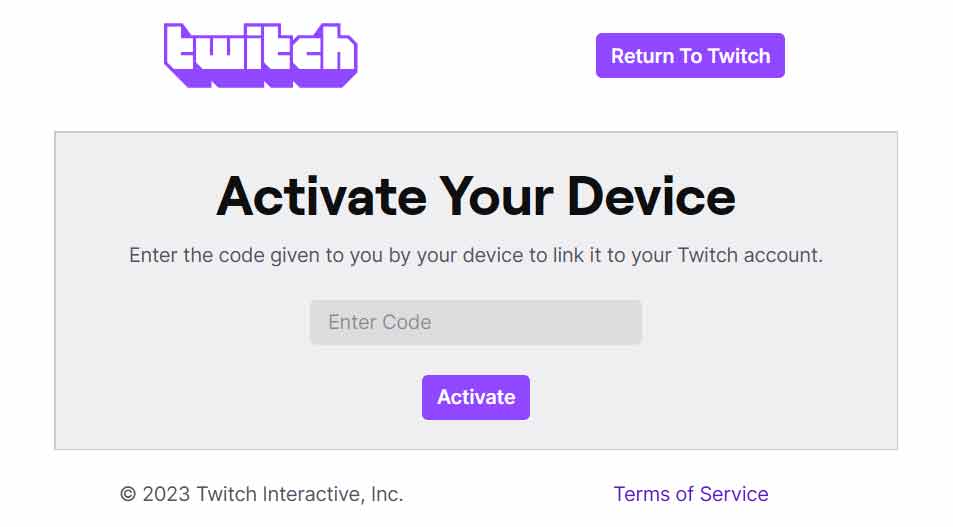
twitch activate your device

Whether you are using a smart TV, Amazon Fire Stick, Roku, Xbox, PlayStation, or another streaming device, activating your Twitch account takes just a couple of minutes. Once linked, you can watch live broadcasts, subscribe to your favorite streamers, and even chat in real time from the comfort of your couch. Here is your up to date step by step guide that actually works.

What Is Twitch TV Activation and Why Do You Need It?

Twitch TV Activate is the official process that securely connects your Twitch account to compatible devices. Instead of entering your full username and password directly on a TV or console, you get a simple six digit code displayed on the screen. You then enter that code on a trusted device like your phone or computer at the official Twitch activation page. It is fast, safe, and keeps your login details private.

This simple link lets you enjoy Twitch full library of live gaming, IRL streams, music, sports, and more without any hassle. The best part is the process has not changed much in years because it already works so well.

General Step By Step: How to Activate Twitch on Any Device

The core process is the same across almost every platform. Follow these steps and you will be streaming in no time:

  1. Open the Twitch app on your smart TV, streaming stick, or gaming console.
  2. Select Log In or Activate (sometimes labeled Sign In with Account).
  3. A six digit activation code will appear on your TV screen. Keep this screen visible. Codes expire after a few minutes.
  4. On your phone, tablet, or computer, open a web browser and go to https://www.twitch.tv/activate.
  5. Log in to your Twitch account if prompted.
  6. Type in the six digit code exactly as shown and click Activate.
  7. Confirm the connection, and your device will refresh. Your account is now linked!

That is it. You are ready to browse channels, follow streamers, and dive into the action.

Device Specific Instructions for the Most Popular Platforms

Amazon Fire TV Stick or Fire TV

Fire TV remains one of the easiest ways to watch Twitch. Download the official Twitch app from the Amazon Appstore, open it, and follow the general steps above. The code appears instantly, and activation usually takes under 30 seconds. Once linked, you can even use voice commands through Alexa for a truly hands free experience.

Roku Streaming Devices

Roku users have a couple of solid options. Search for Twitch in the Roku Channel Store and add the official or certified partner channel. Launch the app, choose to log in, and use the standard activation flow at twitch.tv/activate. Some users also opt for the popular third party Twoku channel for extra features. Either way, the six digit code method works flawlessly.

Xbox and PlayStation Consoles

Gaming consoles make Twitch activation feel natural. On Xbox, grab the Twitch app from the Microsoft Store. On PlayStation, find it in the PlayStation Store. Launch the app, select the login option, and enter the code at twitch.tv/activate. Once connected, you can even stream your own gameplay directly from the console to Twitch with a single tap.

Smart TVs (Samsung, LG, Android TV, and others)

Most modern smart TVs have the Twitch app built into their app stores. Download it, open the app, and follow the same code based activation. If your TV does not have a native app, you can always cast from your phone using the Twitch mobile app or use a streaming stick as a workaround.

Other Streaming Devices (Apple TV, NVIDIA Shield, and more)

Apple TV users can download Twitch from the App Store and activate using the same method. Android based devices like the NVIDIA Shield follow the identical flow. The beauty of this system is its consistency. No matter the hardware the activation page at twitch.tv/activate handles everything.

Troubleshooting Common Twitch Activation Problems

Most people sail through the process, but here are quick fixes for the occasional hiccup:

  • Code not working or expired? Generate a fresh code on your TV and try again quickly.
  • Invalid code message? Double check that you are using the official twitch.tv/activate page (never enter credentials on suspicious sites).
  • App not loading? Make sure your device firmware and the Twitch app are fully updated. Restarting the device often solves glitches.
  • Still stuck? Clear the Twitch app cache on Fire TV or Android devices or reinstall the app. Twitch support pages also have device specific help articles.

If nothing works, Twitch customer support team is responsive and can usually resolve account linking issues fast.

Pro Tips to Get the Most Out of Your Activated Twitch Setup

Once your account is linked, take full advantage:

  • Enable notifications so you never miss your favorite streamers going live.
  • Use the Following tab on the big screen to keep your personalized feed front and center.
  • Subscribe or gift subs directly from the TV interface for that premium viewing experience.
  • Pair a Bluetooth keyboard or use your phone as a remote for easier chatting during streams.

Activating your Twitch account on a TV or console is not just convenient. It completely transforms how you enjoy live content. Whether you are a casual viewer or a dedicated esports fan, this simple process opens up a whole new world of entertainment.

Ready to level up your streaming game? Grab your remote, open the Twitch app on your device of choice, and head over to twitch.tv/activate right now. Your next favorite stream is waiting on the big screen.

Friday, November 12, 2021

How to use the google/youtube ABC Method for discovery and keyword research!

Ever Wondered How Top Creators Always Know Exactly What Their Audience Wants?

Picture this. You type a single keyword into Google or YouTube, and within seconds you uncover dozens of real questions people are actively searching for right now. No paid tools. No complicated software. Just a free built in trick that reveals exactly what your viewers crave. That is the Google and YouTube ABC Method, and it is one of the smartest, most underused ways to spark fresh content ideas that actually get discovered.

Whether you are a streamer, YouTuber, blogger, or just getting started in your niche, this simple technique can hand you ready made topics with real search demand. It has been quietly powering content strategies for years, and it still works brilliantly in 2026.

What Exactly Is the Google ABC Method?

Google search bar has a powerful autocomplete feature that suggests popular searches based on what millions of people have already typed. The ABC Method takes advantage of that by using the alphabet as your guide.

Here is how it works. Start with your main keyword or topic, then add a space and the letter A. Google instantly shows you the most common searches that begin with that letter after your keyword. Swap A for B, then C, and keep going all the way through the alphabet. Each letter uncovers new phrases, questions, and long tail keywords that real people are using every day.

The beauty is that these are not random ideas. They are based on actual search behavior. That means the suggestions reflect genuine interest and intent, giving you a direct line to what your audience is looking for.

Example 1: Typing twitch a reveals popular searches people are making about the streaming platform.

Example 2: Continuing through the alphabet uncovers even more targeted ideas for content.

The ABC Method on YouTube: Same Idea, Video Focused Gold

YouTube search bar works exactly the same way, but the suggestions are tailored to what people are actually watching. Type your keyword, add a letter, and watch the platform reveal trending video topics, questions, and phrases that drive real views.

This is especially powerful for creators because YouTube prioritizes content that matches searcher intent. Ideas you pull from here often have built in demand and lower competition than generic topics.

YouTube autocomplete in action. Perfect for spotting video titles and series ideas your audience is already looking for.

Turning Alphabet Suggestions Into Actual Content

The real power comes when you take those suggestions and transform them into high value pieces. For example, twitch a might show twitch affiliate program or twitch app download. Turn those into:

  • How to Join the Twitch Affiliate Program in 2026: A Step by Step Guide
  • Best Twitch Streaming Apps for Beginners (Updated for 2026)
  • Or even a full video series answering every question the alphabet reveals.

You can go deeper by combining letters with question starters like how to, best, why, or what is. This naturally surfaces long tail keywords that are easier to rank for and more likely to convert into views, subscribers, and engagement.

Pro Tips to Get Even Better Results in 2026

Want to level up? Try these practical tweaks:

  • Use incognito mode. This removes your personal search history so you see cleaner, more universal suggestions.
  • Layer your keywords. Combine your main topic with niche modifiers (example: gaming pc a, stream setup b, etc).
  • Go beyond single letters. Once you have a strong phrase, add how to, vs, or 2026 to unlock even more specific questions.
  • Cross reference Google and YouTube. Ideas that appear on both platforms have massive discovery potential across search and video.
  • Track and organize. Keep a simple spreadsheet of the best suggestions. You will quickly build a content calendar that lasts months.

Many creators also combine the ABC Method with free tools like Google Trends or YouTube Analytics to double check search volume and seasonality.

Why This Method Gives You a Real Discovery Advantage

In a world where everyone is fighting for attention, the ABC Method helps you create content before the crowd catches on. By spotting trending questions early, you can publish videos, streams, or blog posts that rank higher and reach audiences when interest is peaking.

It works for any niche: gaming, tech, fitness, finance, you name it. The key is consistency. Spend 10 to 15 minutes running the alphabet on your core keywords every week, and you will never run out of fresh, relevant ideas again.

So go ahead and open a new tab. Pick your main keyword, type that first letter A, and watch the possibilities unfold. Your next viral video or top ranking blog post might be hiding right there in the autocomplete box.

Thursday, November 4, 2021

How legal viewbots thrive is a false narrative

The Truth About Twitch Embeds: Real Views or "Legal Viewbots"?

There's a persistent myth floating around the streaming world that has creators, analysts, and even some big-name YouTubers fired up. They point at certain channels and declare their viewer counts inflated by what they call "legit viewbots" or "legal viewbots." The culprit? Simple embeds of Twitch streams on third-party websites. But is that really the same as botting? Spoiler: it's not. And the double standard here is glaring.

Watch any of those viral breakdown videos and you'll see the same setup: They pull up the World of Warcraft Twitch directory, zoom in on Asmongold's massive numbers, and contrast them with smaller or mid-tier channels like Method. The claim? One is pure organic hype, the other is propped up by sneaky embeds. It's a neat narrative, but it's also flat-out wrong. Blanket judgments like this ignore how Twitch actually works and who benefits most from the platform's built-in visibility tools.

If we're being honest and following the logic these critics lay out, then a whole bunch of completely normal Twitch features suddenly become "viewbots" too. Think about it:

  • The front page carousel that pushes top streams to millions of eyes
  • Auto-hosting and hosting features that funnel viewers automatically
  • Raids that send entire audiences from one channel to another
  • Drops campaigns that reward viewers for tuning in

These mechanisms have helped build some of the biggest careers on the platform. The biggest channels didn't get there in a vacuum, and pretending otherwise misses the bigger picture.

Take Asmongold as a perfect case study. Back in one of his record-breaking streams a few years ago, he shared his dashboard stats publicly. The numbers were eye-opening.

Look closely at the stats breakdown and you'll see a massive chunk of views coming from "external" sources. According to the very logic some critics use, that should count as "legit viewbots." Yet no one bats an eye when it happens for the platform's biggest names. The truth is, external views have always been part of Twitch's ecosystem, and they still are in 2026.

Viewbots vs. Embeds: Two Completely Different Things

Here's where the conversation always goes off the rails. Critics love to mash these two concepts together, but they're apples and oranges.

A viewbot is automated software that opens fake connections to a stream. It tricks Twitch's player into thinking a real person is watching, pumping up the numbers without any actual human behind it.

An embed, on the other hand, is a real Twitch video player placed on a legitimate webpage. A real visitor lands on that site, sees the stream playing, and consumes the content just like they would on Twitch itself. No automation. Just genuine eyeballs.

Yet somehow these get lumped together in the same breath. It's misleading at best and harmful at worst, because it discourages the exact kind of cross-promotion that could help smaller creators grow.

Chat Activity, Followers, and the Real Story Behind the Numbers

Another favorite talking point: "Their chat is dead, so the viewers must be fake." This one falls apart fast when you understand how embeds actually work.

When a site embeds a Twitch player for promotional or content purposes, they almost never include the chat window. Why? Because the goal is usually clean video playback, not full social interaction. Visitors are still watching the stream in real time. They're just doing it without typing in chat.

That doesn't make the view any less valid. It just means the metrics look different. Content is still being consumed, and that's what matters for building an audience over time.

What Twitch Actually Says About Embeds in 2026

Twitch has clear, official rules around embedding their player, and they've held steady even as the platform evolves. Here's the current reality straight from their developer documentation:

Key requirements that still apply today:

  • The embedded player must be at least 400x300 pixels — no tiny 1x1 hidden frames allowed.
  • Embeds must use approved player elements and can't be obscured by other page content.
  • Domains need proper SSL certificates and the required "parent" parameter for verification.
  • You can't simply buy or sell embed placements on unrelated high-traffic sites unless you own and operate them. Twitch can (and does) revoke access for non-compliant use.

These rules exist to keep things fair and prevent abuse. But they also leave plenty of room for legitimate growth. A gaming blog, news site, or community forum can embed a stream and drive real, engaged viewers back to Twitch. It's the same model YouTube has used for years with massive success.

Why Twitch Needs More Smart Embeds, Not Fewer

Here's the part the critics miss: Twitch's growth depends on creators and partners building content around streams, not just inside them. Billions of web pages embed YouTube videos and send traffic right back to the platform. Twitch could use more of that same energy.

Quality embeds on relevant sites act like digital billboards. They expose streams to new audiences who might never browse the Twitch directory. They create discovery loops that benefit everyone from huge channels like Asmongold down to up-and-coming creators who finally get their shot.

Of course, there's a line. Hidden autoplay embeds on spammy pages or coordinated campaigns designed purely to game the algorithm cross into questionable territory. But painting all third-party embeds with the same brush ignores the real value they bring.

If you're a streamer wondering how to grow ethically in 2026, focus on creating content worth embedding. Partner with sites that align with your niche. Encourage fans to share your stream responsibly. And remember that sustainable growth still comes from authentic connection, not shortcuts.

The next time you hear someone dismiss a channel's numbers because of embeds, ask yourself: Are they really complaining about fake views, or are they just uncomfortable with how the platform actually levels the playing field? Real views from real people watching real content will always beat bots. And smart embeds help make more of those moments possible.

Want to dive deeper into spotting genuine growth versus shady tactics? Check out proven metrics guides and keep building content that deserves to be shared everywhere.

Thursday, September 23, 2021

Embedding gone wrong, watch out for this!

How a 3rd party website is using the Twitch embed player in a very wrong way. Going to showcase what you should look for if you ever notice any external source popping up in your analytics section on twitch.

You can see if any 3rd party websites are embedding your twitch stream on either the channel analytics page or the stream summary section. Basically, go to your Dashboard > Insights > Click on either Channel Analytics or Stream Summary.  Both have a section called "Where did my views come from?" which then has a link to "View details", make sure to click on that to see the data.

If all goes well you will get a page that has the following type of section:

views from outside twitch
"Views from Outside Twitch" lists domain urls that have a Twitch embed player showing your stream. If you see yourself receiving a massive amount of views from this section its probably worth some time to investigate the sites to see how they are using the Twitch embed code.

Here is something I recently noticed that was happening in the "New World" game directory from a 3rd party website.

2 Embeds, one hidden, one visible

This screenshot has been censored so the 3rd party website and the embedded Twitch streamer isn't viewable.  

If you go to this website right off the bat you will think nothing sketchy is occurring.   Its a guide for a mmorpg and under the main content is a Twitch embed player that is set to Autoplay=False which means its not auto playing the live stream as you enter the page.  

But this same webpage if you press F12 (which loads up DevTools on chrome) shows a different story. 

I have highlighted 2 twitch embeds on the screenshot.

The red highlight is a hidden iframe with a twitch embed everything code that is set to autoplay=true.

The blue highlight is the visible iframe with a normal just twitch video player embed that is set to autoplay=false.

Other notes, this website has some extra sketchy stuff with refreshing the ads and also the red highlight hidden iframe.  So every couple of second the Twitch embed everything iframe is being reloaded in the background hidden from the users who are consuming the content on this page.

A hidden iframe with a Twitch player embed is against the Twitch developer service agreement.

See the terms here: https://www.twitch.tv/p/en/legal/developer-agreement/

If you notice this happening to your stream channel via some 3rd party website, report it to Twitch.


So you have to ask yourself why is this 3rd party doing this?

This 3rd party appears to be using this tactic to advertise and possibly gain influence with streamers who are invested in New World.  

The 3rd party has a new world website that the streamers are using on their channel.

So they pick the channels that are showing off their New World site, embed it so that streamer is higher on the Twitch New World directory which then may lead to more people seeing their website which in terms generators more web traffic for them.

Twitch Developer Agreement - "You may not create embeddable experiences in exchange for any compensation (monetary or non-monetary, directly or indirectly) from a content provider on a site or service that the content provider does not own or operate."

If the streamer checks to see whats going on via their "Views from Outside source", and goes to the other non new world website that's promoting their channel, at first glance it will be the visible twitch player embed that is paused. These streamers most likely have no idea of the hidden iframe, some of them probably don't even know they are being embedded.

Additional note on this case.

  • The Twitch Embed Everything code, why do they use that in the hidden iframe? Well here is a super secret tip, because it effects Twitch algorithm for "recommended channels" vs just having a Twitch Video player.