Friday, March 31, 2023

best twitch copypasta

Twitch is a popular live streaming platform that attracts millions of viewers and broadcasters worldwide. Along with the unique content that Twitch streamers create, there is a fascinating culture of chat and emotes. One of the most popular forms of chat messages on Twitch is copypasta.

Copypasta refers to a block of text that is copied and pasted repeatedly in chat. These messages can be anything from memes to song lyrics, and they are often used to create inside jokes and references within the Twitch community. In this article, we will be exploring some of the best Twitch copypastas that have become legendary within the community.

Navy Seal Copypasta 

The Navy Seal copypasta is a classic Twitch copypasta that has been used for many years. It is a lengthy and absurdly exaggerated tale of a Navy Seal's capabilities, often used as a joke to exaggerate one's own abilities or to mock others. Here's the copypasta text:

  • What the fuck did you just fucking say about me, you little bitch? I’ll have you know I graduated top of my class in the Navy Seals, and I’ve been involved in numerous secret raids on Al-Quaeda, and I have over 300 confirmed kills. I am trained in gorilla warfare and I’m the top sniper in the entire US armed forces. You are nothing to me but just another target. I will wipe you the fuck out with precision the likes of which has never been seen before on this Earth, mark my fucking words. You think you can get away with saying that shit to me over the Internet? Think again, fucker. As we speak I am contacting my secret network of spies across the USA and your IP is being traced right now so you better prepare for the storm, maggot. The storm that wipes out the pathetic little thing you call your life. You’re fucking dead, kid. I can be anywhere, anytime, and I can kill you in over seven hundred ways, and that’s just with my bare hands. Not only am I extensively trained in unarmed combat, but I have access to the entire arsenal of the United States Marine Corps and I will use it to its full extent to wipe your miserable ass off the face of the continent, you little shit. If only you could have known what unholy retribution your little “clever” comment was about to bring down upon you, maybe you would have held your fucking tongue. But you couldn’t, you didn’t, and now you’re paying the price, you goddamn idiot. I will shit fury all over you and you will drown in it. You’re fucking dead, kiddo.


John Madden 

The John Madden copypasta is a hilarious and absurdly exaggerated tale of the famous NFL coach's abilities. The copypastais often pasted in Twitch chat during a streamer's gameplay or during an NFL-related conversation. It goes like this:

  • "John Madden is an American former football coach and sportscaster. He won a Super Bowl as head coach of the Oakland Raiders, and after retiring from coaching became a well-known color commentator for NFL telecasts. In his spare time, he made a name for himself as a video game pitchman, lending his name to a series of football games by EA Sports. He is also known for his thick, Midwestern accent, and his ability to diagram football plays using a telestrator."

While this copypasta may seem like a simple description of John Madden's life and career, it is often used in a comical and exaggerated manner, often leading to humorous and nonsensical responses in chat.

However, there are some copypastas that have gained widespread popularity and have become iconic in the Twitch community. Here are some of the best Twitch copypastas that you might come across:

"HeyGuys."


This copypasta is simply the word "HeyGuys" typed repeatedly in chat. It is often used to greet the streamer or as a general greeting between viewers in chat.

"Kappa."


Kappa is an emote on Twitch that is often used to denote sarcasm or irony. This copypasta is simply the word "Kappa" typed repeatedly in chat. It is often used in response to a message that is meant to be taken sarcastically or ironically.

"PogU."


PogU is a newer emote on Twitch that is often used to denote excitement or hype. This copypasta is simply the word "PogU" typed repeatedly in chat. It is often used in response to an exciting or hype moment during a stream.

"WeirdChamp."


WeirdChamp is an emote on Twitch that is often used to denote disapproval or awkwardness. This copypasta is simply the word "WeirdChamp" typed repeatedly in chat. It is often used in response to a message or action that is deemed strange or awkward.

"ResidentSleeper."


ResidentSleeper is an emote on Twitch that is often used to denote boredom or disinterest. This copypasta is simply the word "ResidentSleeper" typed repeatedly in chat. It is often used in response to a stream that is deemed boring or uninteresting.

These are just a few examples of the best Twitch copypastas out there. While some may seem silly or nonsensical, they have become a part of Twitch culture and are enjoyed by many viewers and streamers alike.


best twitch titles

Choosing the right title for your Twitch stream can be the difference between attracting a large audience and being lost in the sea of content. A good Twitch title should be catchy, informative, and concise. 

enter a title on twitch

 Here are some of the best Twitch titles that can help you stand out:

  • "Let's Play" - This is a classic Twitch title that works well for any game. It is simple, easy to remember, and lets viewers know that you are playing a game.
  • "Road to Pro" - If you are playing a competitive game, this title can be a great way to attract viewers who are interested in watching your journey to becoming a professional player.
  • "Viewer Games" - Inviting viewers to play games with you can be a fun way to engage with your audience. This title lets them know that they can join in on the fun.
  • "Chill Stream" - Sometimes, viewers just want to relax and watch someone play a game without any pressure. This title lets them know that your stream will be a laid-back experience.
  • "Speedrun" - If you are an experienced player who can beat a game quickly, this title can be a great way to attract viewers who are interested in watching speedruns.
  • "First Time Playing" - If you are playing a new game for the first time, this title can be a great way to attract viewers who are interested in watching your reactions and experiences with the game.

Remember to keep your titles honest and not misleading. While clickbait titles can attract viewers, they can also lead to disappointment and loss of trust. Use these title suggestions as a starting point and customize them to fit your personality and content.

How to Create Clickbait Twitch TV Titles

Are you struggling to come up with attention-grabbing titles for your Twitch TV streams? Clickbait titles are a great way to attract viewers and increase engagement. Here are some tips to create clickbait Twitch TV titles:

  • Use numbers and statistics - Adding numbers and statistics to your title can make it more appealing to viewers. For example, "5 reasons why you should watch my stream" tells viewers that they will be getting valuable information from your stream. This technique is often used in list-style content and can help you stand out from other streamers.
  • Use humor - Humor can be a great way to catch viewers' attention and make them want to watch your stream. A title like "You won't believe what I did in this game" creates a sense of intrigue and makes viewers curious to see what you did. However, be careful not to use humor in a way that could be offensive or alienate your audience.
  • Use bold statements - Using bold statements in your title can create a sense of excitement and make viewers feel like they are about to witness something amazing. For example, "The most epic stream of all time" sets high expectations for your stream and makes viewers feel like they are about to witness something truly extraordinary. Just make sure that your content lives up to the hype.
  • Ask questions - Asking a question in your title can create a sense of curiosity and encourage viewers to click on your stream. For example, "Can you survive this game?" makes viewers wonder if they could survive the game and might want to watch to see if you can. However, make sure that your question is relevant to your content and not misleading.

How to Use Special Characters in Your Twitch TV Channel That Show up as Icons

Adding special characters to your Twitch TV channel can help it stand out and give it a unique look. Here are some ways to use special characters:

  • Use emoji - Emoji are a great way to add personality to your Twitch TV channel. You can use them in your username, chat, and stream titles.
  • Use ASCII art - ASCII art is a creative way to use special characters to create images. You can use them in your stream title, profile picture, and overlays.
  • Use custom fonts - Some fonts include special characters that can be used to add flair to your Twitch TV channel. You can find free custom fonts online that include special characters.

best twitch commands

Ultimate Twitch Chat Commands List for Moderators & Streamers (2026 Updated Guide)

Twitch chat is the heart of every stream — it’s where your community laughs, asks questions, and connects in real time. But when chat gets chaotic, you need fast tools to keep things under control.

That’s where Twitch chat commands come in. These simple slash commands let moderators and streamers manage chat instantly without leaving the stream. In this fully updated 2026 guide, you’ll get the complete list of the most useful Twitch commands, with clear examples, who can use them, and pro tips that actually work today.

Twitch Chat Commands Input Box 2026

Type commands directly in the Twitch chat box (desktop recommended)

Why Twitch Chat Commands Still Matter in 2026

Even with the new Creator Dashboard and Mod View, typing a command is often 10x faster than clicking through menus. Commands work instantly, show up in chat history, and let you moderate without breaking your flow.

Pro tip: Most commands also work in the mobile Twitch app (though typing is easier on desktop or with a keyboard).

Quick Reference: Most Useful Twitch Commands

Here’s the full updated list organized by category. All commands start with a forward slash (/).

Moderation Commands (Essential for Every Mod)

/ban username [reason]

What it does: Permanently bans a user from your chat.

Example: /ban spammer123 posting malicious links

Who can use: Moderators + Broadcaster

Tip: Always add a reason — it appears in the ban log and helps other mods understand why.

/unban username

What it does: Removes a ban so the user can chat again.

Example: /unban oldfriend

Tip: Use this when someone was banned by mistake or has improved their behavior.

/timeout username [seconds] [reason]

What it does: Temporarily silences a user (default 600 seconds = 10 minutes).

Example: /timeout trolluser 300 spamming emotes

Who can use: Moderators + Broadcaster

Tip: Start with short timeouts (30–120 seconds) for first offenses. Use longer ones for repeat problems.

/untimeout username

What it does: Ends a timeout early so the user can chat again.

Example: /untimeout sorryuser

Tip: Great for when someone apologizes or the situation calms down.

/clear

What it does: Instantly clears the entire chat history for everyone.

Example: /clear

Tip: Use sparingly — only when chat is completely out of control (raids, spam waves, etc.).

Chat Mode Commands (Control the Vibe)

/emoteonly & /emoteonlyoff

What it does: Restricts chat to emotes only (great for hype moments or stopping text spam).

Example: /emoteonly then /emoteonlyoff when ready for normal chat.

/followers [minutes] & /followersoff

What it does: Only allows followers (and optionally only those who followed X minutes ago).

Example: /followers 30 (users must have followed for at least 30 minutes)

Tip: Excellent during raids or when you’re getting targeted by trolls.

/subscribers & /subscribersoff

What it does: Locks chat to subscribers only.

Tip: Perfect for subscriber-only streams, special events, or when you want to reward your paying supporters.

/slow [seconds] & /slowoff

What it does: Forces users to wait between messages (slow mode).

Example: /slow 30 (one message every 30 seconds)

Tip: Use 10–30 seconds during fast-moving chats. Turn off when things calm down.

/uniquechat & /uniquechatoff

What it does: Prevents users from posting the same message repeatedly (anti-spam mode, formerly /r9kbeta).

Tip: Extremely effective against copypasta spam and repetitive messages.

Engagement & Fun Commands

/me message

What it does: Posts your message in italic “action” format (like roleplay).

Example: /me high-fives the chat!

Who can use: Anyone (viewers too!)

Tip: Great for streamers to add personality without sounding like a normal message.

/color colorname

What it does: Changes your username color in chat.

Available colors (2026): Blue, Green, Orange, Purple, Red, HotPink, CadetBlue, Chocolate, Coral, DodgerBlue, Firebrick, GoldenRod, GreenYellow, Magenta, SpringGreen, YellowGreen

Example: /color HotPink

Tip: Viewers love customizing their color — encourage them to try it!

/raid channelname

What it does: Sends your entire live audience to another streamer’s channel.

Example: /raid smallstreamer

Tip: The best way to support other creators. Always ask permission first when possible.

/unraid

What it does: Cancels an active raid.

Tip: Use if you accidentally typed the wrong channel.

/shoutout channelname

What it does: Sends a big on-screen shoutout to another streamer (shows their latest VOD + link).

Example: /shoutout awesomegamer

Tip: Perfect for raid trains, collabs, or just supporting friends. Works even when you’re offline.

Broadcaster-Only Commands

/vip username & /unvip username

What it does: Gives or removes VIP status (special badge + bypass slow mode).

Tip: Great for rewarding loyal community members or regular chatters.

/mod username & /unmod username

What it does: Promotes or demotes someone to moderator status.

Tip: Only the broadcaster can use these. Be careful — mods have a lot of power.

/commercial [seconds]

What it does: Runs a Twitch ad (30, 60, 90, 120, or 180 seconds).

Example: /commercial 90

Tip: Schedule ads in advance using the dashboard for better revenue. Use this command only when needed.

/marker [optional description]

What it does: Creates a timestamp marker in your VOD for easy editing later.

Example: /marker epic clutch moment

Tip: Use this constantly while streaming — it saves hours of editing time later.

Viewer Commands (Anyone Can Use These)

  • /me – Action message (see above)
  • /color – Change your username color
  • /ignore username – Hide messages from a specific user
  • /unignore username – Stop ignoring someone
  • /block username – Block a user entirely (stronger than ignore)

Best Practices for Using Twitch Commands in 2026

  • Always explain why when timing out or banning — transparency builds trust with your community.
  • Use /marker every time something cool happens during your stream.
  • Combine commands — for example, turn on /followers + /slow during a raid wave.
  • Train your mods — share this list with them so everyone is on the same page.
  • Don’t overuse /clear — it frustrates regular viewers. Use /uniquechat or /slow first.

Frequently Asked Questions

Do these Twitch commands still work in 2026?

Yes — every command listed above is fully functional as of May 2026. Twitch occasionally adds new ones but rarely removes the classics.

Can I use these commands on mobile?

Yes, but typing is slower. The mobile app supports most commands. For heavy moderation, desktop or a second monitor is much better.

What happened to the old /host command?

Twitch removed hosting years ago. Use /raid and /shoutout instead — they’re more powerful and better for the community.

How do I become a moderator so I can use these commands?

Ask the streamer to type /mod yourusername in their chat. Only the broadcaster can promote moderators.

Are there more commands than these?

Yes, but these are the 20+ most useful ones for 95% of streamers and moderators. The rest are very niche.

Final Tips

Mastering these Twitch chat commands will make you a faster, more effective moderator or streamer. Start with the moderation commands (/ban, /timeout, /clear) and the chat mode commands — those will solve 90% of problems.

Bookmark this page and share it with your mod team. The more everyone knows these commands, the smoother your streams will run.

Got a favorite command I missed or a specific situation you’re struggling with? Drop it in the comments below — I read every single one and update this guide regularly.

Happy streaming and happy moderating! 🎮

best twitch names

Introduction

Your Twitch name is an important part of your brand as a streamer. It's the first thing that people will see when they visit your channel, and it can make a big impact on whether or not they decide to follow you. In this article, we'll explore some tips and strategies for choosing the best Twitch name, building a brand around it, and marketing your channel to social media.

twitch name signup
 Best Twitch Names

Choosing the best Twitch name can be a challenge, but there are several things to keep in mind when coming up with ideas:

  • Make it memorable and easy to spell: Your Twitch name should be easy to remember and spell, so that viewers can easily find you again and share your channel with others. Avoid using complex words or obscure references that are difficult for people to remember or spell.
  • Reflect your personality or interests: Your Twitch name should also reflect who you are and what you're interested in. For example, if you're a gamer who specializes in a particular game, you could incorporate the name of that game into your Twitch name. Or, if you have a particular hobby or interest outside of gaming, you could incorporate that into your name as well.
  • Avoid using numbers or special characters: While it may be tempting to add numbers or special characters to your Twitch name to make it more unique, this can actually make it harder for people to remember or find you. Stick to letters and avoid anything that might be confusing or hard to type.
  • Consider using alliteration or rhyming words: Alliteration and rhyming can help make your Twitch name more catchy and memorable. For example, "PixelatedPanda" or "GamerGirlGia" are both examples of alliterative Twitch names that are easy to remember and catchy.

Remember, your Twitch name is a reflection of your brand, so choose something that represents you and your content.

Building a Brand Around Your Twitch Name

Once you've chosen the best Twitch name, it's important to build a brand around it. This involves creating a consistent visual identity and messaging that reflects your personality and content. Here are some tips for building a strong brand on Twitch:

  • Create a logo or graphics that reflect your Twitch name and content: Visual branding is an important part of building a brand on Twitch. Consider creating a logo or other graphics that incorporate your Twitch name and reflect the type of content you create. Your graphics should be visually appealing and consistent with your overall brand messaging.
  • Use consistent colors and fonts across your social media profiles and channel: Consistency is key when it comes to branding. Use the same colors and fonts across your Twitch channel and social media profiles to create a cohesive visual identity for your brand. This will help your audience recognize your content and associate it with your brand.
  • Create a mission statement or tagline that summarizes your brand and content: A mission statement or tagline can help summarize your brand messaging and content in a concise and memorable way. This can help you differentiate yourself from other Twitch streamers and make your brand more memorable to viewers.
  • Engage with your audience and create a community around your brand: Building a brand on Twitch is about more than just creating content. It's also about building a community of engaged viewers who share your interests and values. Engage with your audience by responding to comments and messages, hosting Q&A sessions, and creating content that encourages discussion and interaction.

Building a strong brand can help you stand out on Twitch and attract a loyal following.

Marketing Your Brand to Social Media

Once you've built a strong brand on Twitch, it's important to market it to social media. This can help you reach a wider audience and attract new followers. Here are some tips for marketing your Twitch brand on social media:

  • Create social media profiles that reflect your Twitch brand and link to your channel
  • Use relevant hashtags to reach a wider audience
  • Engage with your followers and create content that is shareable and relevant to your brand
  • Collaborate with other Twitch streamers or social media influencers to cross-promote your brand

Marketing your brand on social media can take time and effort, but it can pay off by helping you grow your audience and reach new viewers.

Tips on Brand Marketing

Here are some additional tips on brand marketing for Twitch streamers:

  • Be authentic and true to yourself and your brand
  • Consistency is key - make sure your brand messaging and visuals are consistent across all platforms
  • Stay engaged with your audience and respond to comments and feedback
  • Experiment with different types of content and see what resonates with your audience
  • Stay up-to-date on the latest trends and changes on Twitch and social media

By following these tips, you can build a strong brand and attract a loyal following on Twitch.

best twitch ad blocker

Introduction

As Twitch continues to grow in popularity, so does the use of ad blockers to avoid advertisements on the platform. While using ad blockers may seem like an easy solution to skip ads and support the streaming experience, it raises ethical concerns about the financial impact on streamers and the Twitch platform.

The Most Ethical Twitch Ad Blocker

While many ad blockers exist, the most ethical option for Twitch is to not use one at all. By allowing ads to play, you support the streamers you watch and the platform that hosts them. Twitch ads provide a significant source of revenue for streamers, and by blocking them, you are essentially taking away their ability to earn a living.

However, if you must use an ad blocker, there are options that are more ethical than others. For example, some ad blockers allow you to whitelist specific channels, so ads will still play on those channels, while others block all ads on the platform.

Adblock frontpage

Best Twitch Ad Blockers

There are several ad blockers available for Twitch, but some of the most popular ones include:

  • AdBlock
  • AdGuard
  • uBlock Origin

These ad blockers are easy to install and use, and they can effectively block most of the ads that appear on Twitch. Some of them also offer additional features, such as the ability to whitelist certain channels or support for multiple devices.

Why You Should Use an Ad Blocker on Twitch

There are several reasons why you might want to use an ad blocker on Twitch:

  • To avoid annoying and repetitive ads
  • To save time and improve your viewing experience
  • To protect your privacy and security from malicious ads

By using an ad blocker, you can enjoy your favorite Twitch streams without having to deal with the interruption and frustration of ads.

How to Support Streamers with an Ad Blocker

While using an ad blocker can help you avoid ads, it can also have a negative impact on the streamers you watch. Ads provide a major source of revenue for streamers, and by blocking them, you are essentially taking away their ability to earn a living.

Fortunately, there are ways to support streamers even if you use an ad blocker. One way is to subscribe to their channel or donate directly to them. Another way is to whitelist their channel in your ad blocker, which allows ads to play on their channel while still blocking them on other channels.

By supporting streamers in these ways, you can enjoy your Twitch viewing experience without having to feel guilty about depriving streamers of their much-needed revenue.

Why You Shouldn't Use an Ad Blocker on Twitch

Using an ad blocker on Twitch not only takes away from the streamer's ability to earn revenue, but it also harms the platform as a whole. Twitch uses ad revenue to improve its infrastructure and provide better streaming experiences for its users. By blocking ads, you are hindering the growth of the platform and potentially limiting the resources available to improve the service.

Additionally, ad blockers can negatively impact the user experience by slowing down the site, causing errors, or blocking other content that isn't advertising. In some cases, using an ad blocker can even be against Twitch's terms of service, which could result in a suspension or ban from the platform.

Conclusion

While it may be tempting to use an ad blocker to avoid ads on Twitch, it is important to consider the impact it has on the platform and the streamers you watch. By allowing ads to play, you are supporting the community and ensuring the growth and sustainability of the platform. If you must use an ad blocker, make sure to choose the most ethical option and whitelist the channels you watch.

best twitch bots

Twitch bots are essential tools for streamers to manage their chat, automate certain tasks, and provide a better viewing experience for their audience. With so many Twitch bots available, it can be challenging to choose the right one. In this article, we'll take a look at some of the best Twitch bots and what they can do to help you improve your stream.

1. Nightbot

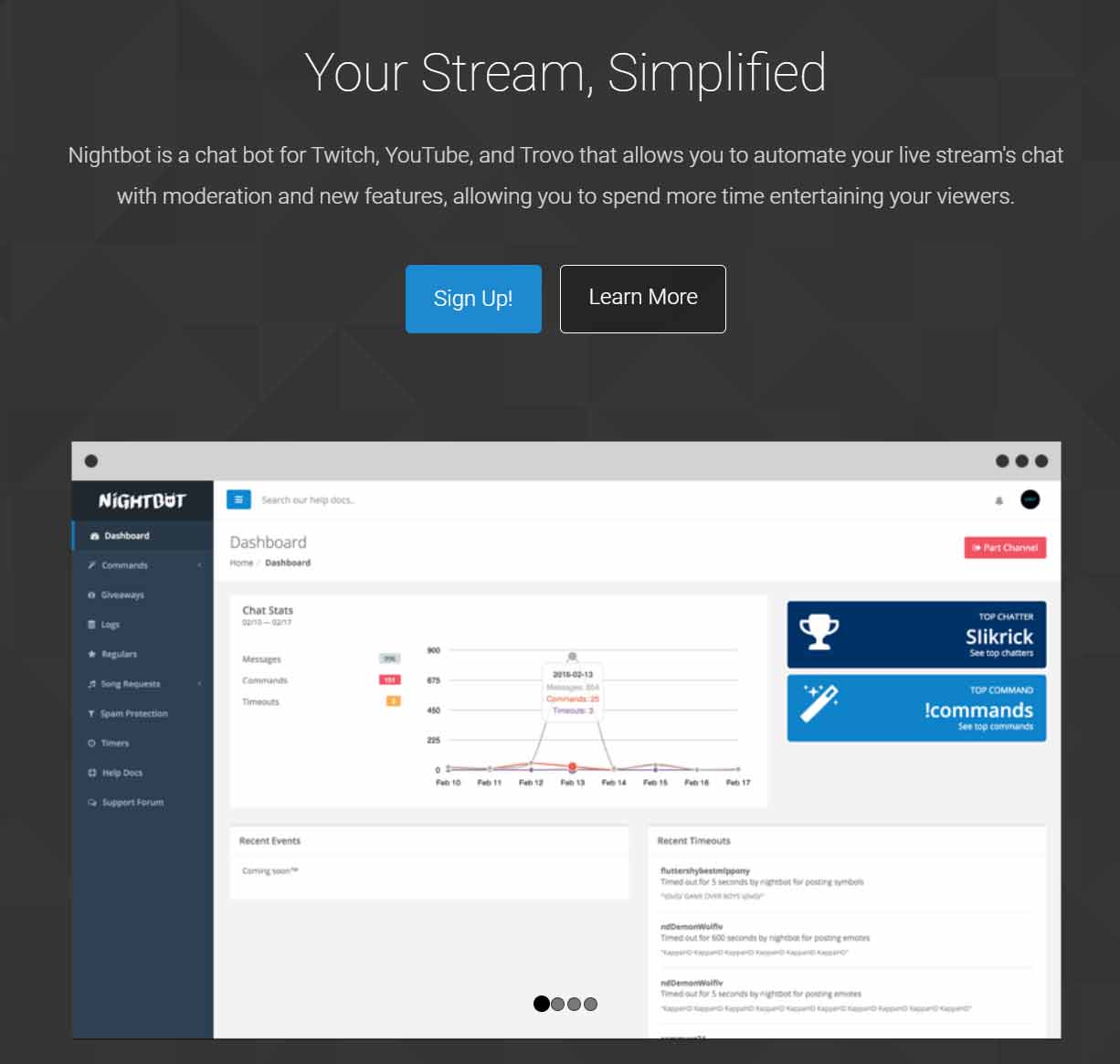
Nightbot is one of the most popular Twitch bots, and for a good reason. It offers a range of features, including custom commands, spam protection, song requests, giveaways, and more. Nightbot is easy to set up, and you can customize it to fit your stream's needs. It also has a web dashboard, which allows you to manage your bot settings from anywhere.


nightbot frontpage
 

2. Streamlabs Chatbot

Streamlabs Chatbot is another popular Twitch bot that offers a range of features. It integrates with Streamlabs OBS, making it easy to use if you're already using Streamlabs for your stream. Some of the features offered by Streamlabs Chatbot include custom commands, polls, song requests, and more. It also has a loyalty points system, which encourages viewers to stay engaged with your stream.

3. Moobot

Moobot is a simple Twitch bot that offers essential features such as spam protection, custom commands, and automated chat messages. Moobot is also easy to set up and use, making it a great option for streamers who are new to using bots. Moobot also offers integration with Streamlabs OBS and has a web dashboard that allows you to manage your bot settings from anywhere.

4. Wizebot

Wizebot is a more advanced Twitch bot that offers a wide range of features. It includes custom commands, song requests, giveaways, polls, and more. Wizebot also has a loyalty points system, which encourages viewers to stay engaged with your stream. Additionally, Wizebot offers integration with a range of other tools, such as Discord and Twitter.

5. Streamelements

Streamelements is another popular Twitch bot that offers a range of features. It includes custom commands, song requests, giveaways, polls, and more. Streamelements also has a loyalty points system, which encourages viewers to stay engaged with your stream. Additionally, it offers integration with a range of other tools, such as OBS and Discord. Streamelements also offers a web dashboard, which allows you to manage your bot settings from anywhere.

Conclusion

There are plenty of Twitch bots available, each with its unique set of features. The bots mentioned in this article are some of the best Twitch bots available, and each offers a range of features that can help you improve your stream. When choosing a bot, make sure to consider the features that are most important to you and your audience. With the right bot, you can create a more engaging and interactive stream for your viewers.

best time to stream on twitch

Unlocking Twitch Success: How to Find the Perfect Time to Stream

Picture this: You hit go live, pour your energy into an incredible stream, and watch the viewer count climb steadily as engaged fans chat and interact. Now imagine the alternative, streaming into the void with minimal eyes on your content. The difference often comes down to one crucial factor: timing.

Streaming on Twitch can be incredibly rewarding, but choosing the right time to go live can dramatically impact your growth, engagement, and even your long-term success on the platform. Whether you're a new creator building from scratch or an established streamer looking to level up, understanding when your audience is actually online makes all the difference. Let's break down proven strategies to help you nail your schedule.

Start With Your Audience and Their Time Zones

The foundation of any smart streaming schedule is knowing who you're streaming for. If your viewers are mostly in North America, for instance, evenings and weekends in their local time tend to work best when people are unwinding after work or school. A slot that feels like prime time on the West Coast might still catch East Coast folks before they call it a night.

Global audiences add another layer. What feels like late night in the US could be perfect early evening for European or Asian viewers. Always factor in time zones early so your content reaches the people most likely to show up, stick around, and become loyal fans.

Current Peak Viewing Hours on Twitch in 2026

Twitch still sees its highest overall viewership during late afternoon and evening hours, often between roughly 3 PM and 7 PM Pacific Time on weekdays, with weekends delivering even broader windows of activity. These periods attract massive audiences looking to relax and discover new content.

That said, high viewer numbers come with fierce competition. Thousands of other creators are live at the same time, making it tougher for smaller or growing channels to stand out. Recent data shows that many successful streamers actually grow faster during slightly off-peak slots or morning hours when the viewer-to-streamer ratio is more favorable. The goal isn't always chasing the absolute busiest time; it's finding the sweet spot where enough people are online but fewer creators are competing for their attention.

  • High-viewership windows typically hit late afternoon through evening
  • Weekends, especially Saturdays and Sundays, often deliver strong overall engagement
  • Your specific category or game can shift these patterns dramatically, so always check category-specific trends

Quick Time Zone Conversions for Common Peak Windows

To make planning easier, here’s how popular Pacific Time windows translate across major zones:

  • Eastern Time: Add 3 hours
  • Central Time: Add 2 hours
  • Mountain Time: Add 1 hour
  • UTC: Add 7 or 8 hours (depending on daylight saving time)

Use Twitch’s Built-In Analytics to Make Data-Driven Decisions

Twitch gives you powerful, personalized insights directly in your Creator Dashboard. Head to the Analytics section and check the Research panel, which includes the Time to Stream data. This tool breaks down the best days and times to go live based on average viewers, active channels, and your own historical performance.

You can analyze trends over the past 7 or 28 days and filter results by category, language, or region. It helps you spot when your target audience is most active, when competition tends to be lower, and how your channel performs at different times. Combined with your Stream Summary reports, these tools turn guesswork into a clear strategy.

best time to stream analytics

Experiment, Track Results, and Build Consistency

Even the best data benefits from real-world testing. Try streaming at different times and days over a few weeks, then review your analytics to see what actually worked for your channel. Look at concurrent viewers, chat activity, retention, and new follower growth.

Once you spot promising windows, commit to a consistent schedule. Viewers love knowing exactly when they can catch you live, and the algorithm rewards reliability. You can also time streams around big game releases, holidays, or community events, but remember that competition spikes during those moments too. Balance is everything.

Bonus Tip: Supplement With Third-Party Tools

For even deeper category-specific insights, many creators turn to trusted platforms like TwitchTracker and SullyGnome. These tools show live viewer counts, streamer activity, and viewer-to-channel ratios across games and content types, helping you discover hidden opportunities your own analytics might miss.

Finding Your Perfect Streaming Schedule

Determining the best time to stream on Twitch combines smart research, real data, and a bit of experimentation. Focus on your audience’s time zones, understand platform-wide trends, and lean on Twitch’s own Time to Stream analytics to guide your decisions. Add in consistent testing and third-party tools for the full picture.

The ideal schedule is unique to you, your content, and your community. Stay flexible, keep learning from the numbers, and above all, keep delivering the value that keeps viewers coming back. Get your timing right, and you’ll not only reach more people, you’ll build stronger, more loyal connections along the way.

Ready to grow? Open your Creator Dashboard, check those analytics, and start testing smarter times today. Your next big viewer spike could be just one well-timed stream away.