Sunday, August 2, 2020

How to get affiliate sponsors for your channel?

Twitch affiliate sponsors

How to get sponsorships for your twitch affiliate channel! One of the best and most easiest ways for a new twitch affiliate to get sponsors is to use the following platforms.

Game Key Distributions
Keymailer - key distribution platform.  Keymailer is most likely one of the top key distro out their for game influencers.  Its going to be harder for a new affiliate to get keys from here but its something to look forward to down the line if your channel grows bigger. NOTE: Keymailer may sometimes lists games to which they dont have any keys for but collect your requests in order to sell that to game publishers.
keymailer
Noiz.gg - distributes keys, sponsorship opportunities.  This is a great platform that has many opportunities for paid sponsorships with games even with low CV amounts.
noiz gg

Arsenal.gg
- analytics, key distribution platform.
arsenal gg

Xsolla - keys, affiliate programs, performance-driven
Xsolla Influencer platform

Terminals.io - key distribution platform, PR
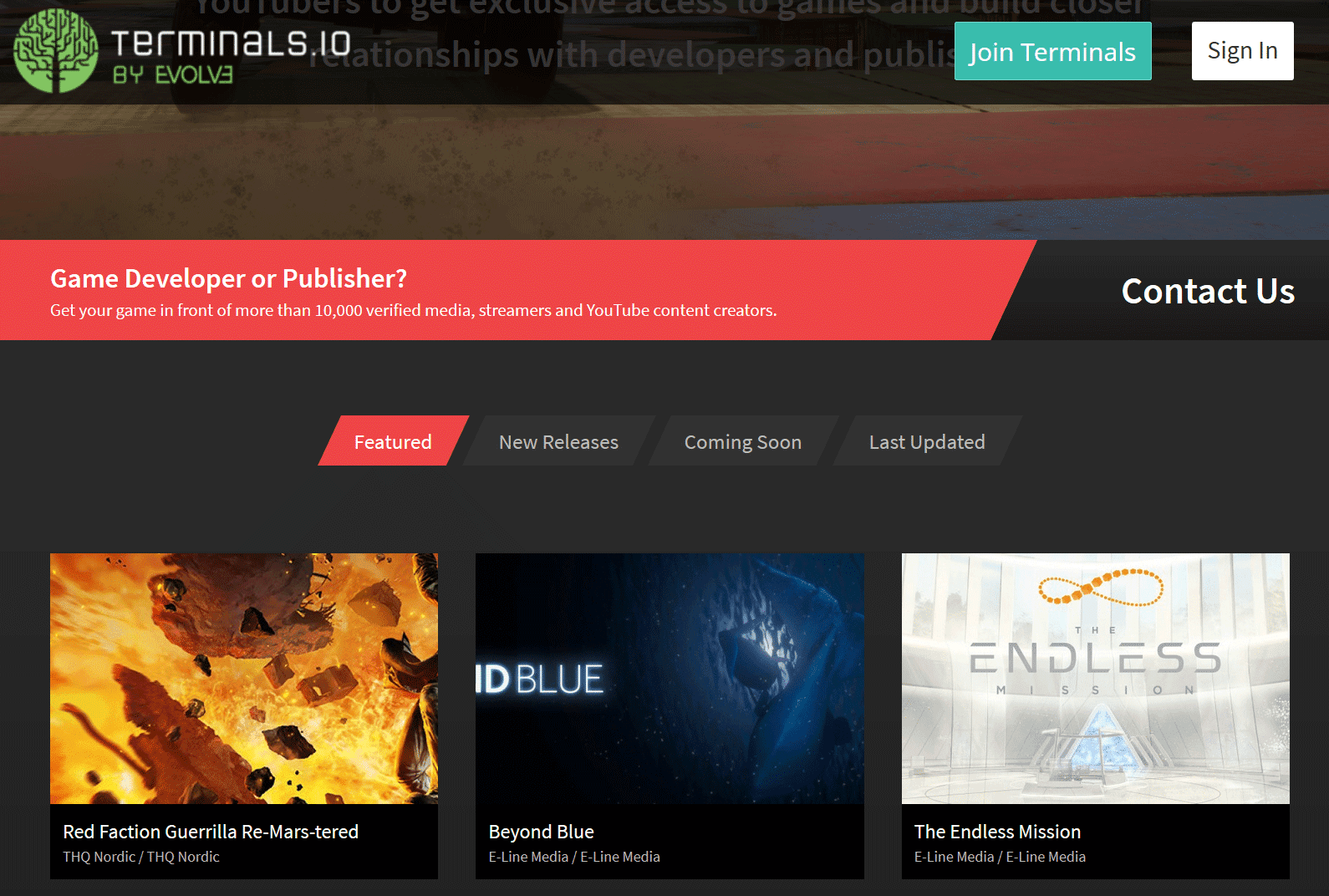
terminals.io


These are all the various key distribution platforms that I have signed up for and use to get sponsorship opportunities and free game keys for my channel on twitch. If you happen to know of any that are not listed and provide similar services, please fill free to comment below or message me so I can review it and add it to the list.

Sponsorships / Affiliate Programs

Listed here are streamer + gaming focused type of brands with affiliate programs and sponsorships.  Some of these are accessible to new affiliates, while others are for geared towards bigger channels and communities.  Check out their website for more details and what type of connections are available.
  • AKRacing - gaming chairs, accessories
  • Astro Gaming - audio systems, headsets and accessories
  • AVerMedia - capture cards, microphones, webcams gaming audio
  • Arozzi - chairs, eyewear, gaming desks, microphones and more
  • Battle Beaver Customs - custom gaming controllers, DIY parts, prebuild controllers, refurbished controllers
  • BenQ - projectors, monitors, led lighting, digital signage, accessories
  • Cinch Gaming - custom gaming controllers
  • Corsair - gaming gear, streaming gear, pc components, and more
  • DXRacer - gaming chairs
  • Fatalgrips - mice, keyboards, mousepads, gaming controller grips / cases / skins / accessories
  • GTomega - chairs, cockpits, wheel stands and more
  • Gamergoo - hand lotion
  • Green Man Gaming - digital video game key seller
  • HyperX - gaming headsets, microphones, keyboards, mice, memory and more
  • Jinx - video game / tv tees, outerwear, toys, plush
  • Netgear - wifi gaming routers and more
  • Razer - gaming laptops, mice, keyboards, audio and more
  • Thermaltake USA - Chassis, fans, aio liquid cooling, air cooling, mice and more


Additional notes:

Make sure to have a business contact email address on your twitch channels about section and on your other linked in social media profiles.  Many times sponsors maybe interested in working with you but no email address is provided for contact which leaves them to move on to the next channel.

Other things to take into consideration is your audience, your community and what your niche is and how a possible sponsorship can make sense for both you and them.  If you want to work with a brand and you think there are possible synergies, reach out to a PR contact for the brand.  It never hurts to ask and attempt to network.
Saturday, August 1, 2020

What are the affiliate perks for streamers?

Twitch Affiliate Perks

If you're a Twitch streamer looking to monetize your content, becoming an affiliate can provide a range of benefits and perks that are not available to regular broadcasters. In this article, we'll explore some of the key advantages of becoming a Twitch affiliate.

Monetization Perks

One of the main benefits of becoming a Twitch affiliate is the ability to monetize your content in various ways. Here are some of the monetization perks available to Twitch affiliates:
twitch affiliate perks

  • Subscriptions: With Twitch subscriptions, viewers can subscribe to your channel at various tiers, including Twitch Prime subs. This allows you to earn recurring revenue from your loyal fans. Additionally, subscribers get access to custom emotes and sub badges created by the streamer.
  • Bits: Twitch's in-house tipping system, bits, allows viewers to cheer on your channel with virtual currency. This can be a great way to generate additional revenue while also encouraging viewer engagement. Additionally, Twitch affiliates can create custom bit reward tiers for their viewers.
  • Ads: As a Twitch affiliate, you can run advertising mid-roll blocks with the push of a button on the dashboard. This can help generate additional revenue, but it's important to use ad breaks strategically so as not to negatively impact the viewer experience.
  • Bounty: Twitch's bounty program allows affiliates to browse and accept sponsored opportunities from brands and game companies. This can be a great way to earn extra income while also promoting products that are relevant to your audience.

Video Perks

In addition to monetization perks, Twitch affiliates also enjoy certain advantages when it comes to video content. Here are some of the video perks available to Twitch affiliates:

  • Transcoding: With higher priority access, affiliates can access transcoding options that allow viewers to adjust the video quality based on their internet connection. This can help ensure that all viewers have a smooth viewing experience regardless of their internet speed.
  • ReRuns: As an affiliate, you can use Twitch's ReRuns feature to restream a previous session or VOD. This can be a great way to fill in gaps in your streaming schedule or provide additional content for your viewers. ReRun mode feature has been removed, you can still do reruns but you have to broadcast the video from your end.

In conclusion, becoming a Twitch affiliate provides a range of benefits and perks that can help you monetize your content and grow your channel. From subscriptions and bits to ads and sponsorships, there are numerous ways to generate revenue as a Twitch affiliate. Additionally, the video perks available can help ensure that your content is accessible to all viewers, regardless of their internet speed. If you're looking to take your streaming to the next level, becoming a Twitch affiliate is definitely worth considering.

Thursday, July 30, 2020

Requirements to become a twitch affiliate

What are the requirements to become a twitch affiliate?

The base requirements needed to get affiliate on twitch is as follows.
  • Reach 50 followers or more on your channel.
  • Stream for 8 hours or at least 500 total minutes in the last 30 days.
  • Stream on 7 different days in the last 30 days.
  • Average of 3 viewers - includes hosts and raids but not 3rd party embeds
As you are progressing on the path to affiliate, you can check in your dashboard sidebar section called insights then achievements. Here you will find the progress section on how you are doing on the base requirements.

path to affiliate

The easiest way to get affiliate on twitch is to follow my detail guide covering all the basic steps you need to take to get started on the platform.

What are the benefits of twitch affiliate?

Becoming a affiliate provides additional perks then a normal broadcaster on twitch.  Here are a few of the benefits:

Monetization Perks
  • Subscriptions - allows you to get the sub button and viewers can sub to your channel via various tiers including twitch prime subs
    • Emotes - allows you to have custom emotes
    • Sub Badges - custom sub badges
  • Bits - this is twitch's inhouse tipping system, viewers can cheer bits on your channel.
    • Bit Badges - custom bit reward tiers
  • Ads - you can run advertising mid-roll blocks with the push of a button on the dashboard
  • Bounty - allows you to browse and accept sponsored opportunities from brands and game companies
Video Perks
  • Transcoding - as available with higher priority access 
  • ReRuns - allows you to restream a previous session or vod
Wednesday, July 29, 2020

Can twitch streams be private?

How to make your twitch stream private?

You can't but you can use some settings to make your stream a little more hidden. First setting is to not set a category.  By leaving your category empty, the stream will only show up on the "live streams" directory section which is generally populated by every single other live channel on the platform.  So if your channel has low viewership, it will be somewhat harder to find.

Next setting is to enable sub only mod for viewing, this can be done in the dashboard under the edit stream button.

subscriber only

With sub only viewing enabled, it will make it harder for a viewer to continue watching the stream unless they are subscribed to the channel.
Tuesday, July 28, 2020

Can mods change title

Can Twitch Mods Change Stream Titles? (Yes – Full 2026 Guide for Moderators)

Yes, Twitch moderators with the proper permissions can change the stream title, category, audience rating, tags, and language settings. This is one of the most useful moderator tools and helps streamers keep their channel information up to date without pausing the stream.

In this fully updated 2026 guide, we show you exactly how moderators can edit stream info using Mod View. The process is quick and works the same way it has for years.

Quick Requirements Before You Start

  • You must be a moderator in the channel
  • The streamer must have given you Editor permissions (or specifically enabled “Edit Stream Info” in Roles Manager)
  • You need to be on desktop or the Twitch website (mobile Mod View is limited)

Step-by-Step: How Mods Change the Stream Title on Twitch

Step 1.
Go to the Mod View dashboard by clicking the Mod View button (sword icon) at the bottom of the chat.

mod view link

Step 2.
On the Mod View dashboard, click the little pencil icon next to the stream’s title.

edit title button

Step 3.
A pop-up window called “Broadcast Options” will appear. Edit the title in the top text box (or change category, tags, audience, or language). Click Done to save.

broadcast options

Bonus Tip: Faster Way Using Chat Commands (2026)

Many channels use bots like Nightbot or StreamElements. Moderators can simply type in chat:

!title Your New Stream Title Here

Ask the streamer which bot they use and what the exact command is.

Pro Tips for Moderators in 2026

  • Always double-check spelling and length (Twitch titles have a 140-character limit)
  • Update the category and tags at the same time for better discoverability
  • Keep titles SEO-friendly and exciting to help with recommendations
  • If the pencil icon is missing, ask the streamer to give you Editor permissions in Creator Dashboard → Community → Roles Manager

Frequently Asked Questions

Do all mods have permission to change the title?

No. Only moderators with Editor permissions can edit stream info. Regular mods can only moderate chat.

Can I change the title from mobile?

Yes, but it’s much easier and more reliable on desktop using Mod View.

Does changing the title notify viewers?

No, it updates silently. Viewers see the new title immediately in the channel info.

Final Thoughts

Being able to change the stream title as a mod is a powerful tool that keeps streams running smoothly. The Mod View method above is still the official and fastest native way in 2026.

Save this guide and share it with your mod team so everyone stays on the same page. Need help with permissions or bot commands? Drop a comment below and I’ll walk you through it.

Happy moderating!

Just Chatting category becoming most popular on platform

How the "Just Chatting" category on the Twitch directory is becoming the top viewed and most watch hours then any other.
Just Chatting #1
So it has been recently reported that for the past couple of months the "Just Chatting" category is getting the most watch time vs other directory slots on Twitch.

Here is a fresh look at some of the metrics on that from streamelements:
  • Just Chatting
    • Hours Watched 86 million
      • Jan 2020
    • Hours Watched 167 million
      • June 2020
  • League of Legends
    • Hours Watched 94 million
      • Jan 2020
    • Hours Watched 135 million
      • June 2020
  • Grand Theft Auto V
    • Hours Watched 41 million
      • Jan 2020
    • Hours Watched 96 million
      • June 2020
  • Fortnite
    • Hours Watched 47 million
      • Jan 2020
    • Hours Watched 95 million
      • June 2020
  • Call of Duty: Modern Warfare
    • Hours Watched 7 million
      • Jan 2020
    • Hours Watched 76 million
      • June 2020

What exactly is happening in this directory to yield such growth vs the other gaming categories?

From my point of view is pretty simple, some streamers are purposely mis-categorizing their channels to be in "Just Chatting" vs the more correct category because it has more floating viewership and bigger potential to attract audience.

Here is a clip of Hikaru a popular chess streamer making a comment about another popular chess streamer and how it effects chess directory.


Back in 2018, Twitch created new tags & categories to better enable IRL channels to self categorizes and tag into more proper niches. Twitch's community guidelines state the following:

"Content Labeling

You are expected to accurately label your content to the best of your ability. When choosing a category or tag, please choose whichever best describes your content. Deliberate or extensive misuse of titles, tags, games/categories, or other metadata are prohibited." - source

Content mis-labeling is happening on mass, and is even being promoted by big influencers on Twitch as a way to gain more viewers.


This is a big problem, only getting worse as time goes on. Now the question is if Twitch is going to make any changes or start to enforce their community guidelines.
Monday, July 27, 2020

Can affiliates run ads

Can Twitch affiliates run ads?

Twitch affiliates have the opportunity to monetize their streams by running ads on their channels. Running ads can help generate additional revenue and support the streamer's content. In order to trigger an advertisement to run on your channel, you have to press one of the ad break buttons on the dashboard.

As a Twitch affiliate, there are different ad block options available to you, including:

  • Run 30-Second Ad Break
  • Run 60-Second Ad Break
  • Run 120-Second Ad Break
  • Run 150-Second Ad Break
  • Run 180-Second Ad Break
It is recommended to run a 120-second ad break at least every 30 minutes of your stream session. This can help ensure that your viewers are not bombarded with ads while also maximizing your revenue potential.

Twitch affiliates also have the option to automate running ads via a chat robot with the command /commercial (time). However, it's important to make sure that your chat bot has the correct permissions to perform this action.

Chatty run commercial

In addition to chat bots, there are third-party tools that can help automate running ads on your channel. One of these tools is called Chatty, which is a chat program that has admin tools that can auto run ads every x minutes. This can be a helpful option for streamers who want to focus on their content without manually triggering ad breaks.

It's important to note that while running ads can help generate revenue, it's important to balance this with the viewer experience. Too many ads or ads that are too long can turn off viewers and negatively impact your stream. As a result, it's important to use ad breaks strategically and ensure that they don't disrupt the overall flow of your content.

In conclusion, Twitch affiliates can run ads on their channels by pressing the ad break buttons on the dashboard. There are different ad block options available, and it is recommended to run a 120-second ad break at least every 30 minutes of your stream session. Automating ad breaks via chat bots or third-party tools can also be helpful. However, it's important to balance revenue generation with the viewer experience and ensure that ad breaks don't negatively impact your content.