Saturday, September 26, 2015

Twitchcon video must see

Legal viewpoints from multiple lawyers in regards to live streaming video game content on Twitch.tv!

If there is one video clip from Twitchcon that all broadcasters on twitch.tv should take the time and watch, it would be the segment on the legality of streams. This covers copyright laws, dmca, copyright myths and other suggestions on how to create trans-formative content for fair use purposes.

Full video clip which is around one hour length can be viewed here:


The video towards the end has question and answer segment from various attendees.

Wednesday, September 23, 2015

VOD Playlist with 24/7 channels coming to Twitch.tv

Replay VOD Playlist and 24/7 Channels in beta.


Twitch.tv has announced on there blog a new feature coming soon that will enable broadcasters the option of setting up playlists of videos which will be running during the casters offline time.
Sounds like a great idea but there is a very big exploit which I will be betting on that many broadcasters will be engaged in which revolves around loyalty systems.

Tuesday, September 8, 2015

The luck factor, right game, right time

How the luck factor builds a viewerbase for broadcasters on twitch.tv!

Factors / Situations revolving getting lucky on twitch.tv.

  • Game Launch Days - whenever a new AAA game title launches, usually the stream in the top spot gets big viewership boosts from curious gamers who haven't purchased the game.  This use to be a great method for building a viewerbase, but unfortunate this is extremely hard for a new streamer to break into due to all the variety streamers who jump from game to game.
  • Friends with Benefits - having a established streamer friend who can give you a shoutout or host your stream constantly is a great way to noticed and build a viewer base.
  • Exploiting / Rule Breaking -  sadly this is something I will include in the luck factor, being able to exploit and break twitch rules with no consequence can build a viewer base depending on how viral it reaches out.
    • Exploiting a multiplayer game - this is against Twitch's TOS / Rules but is very rarely acted on. 
    • Viewbotting - alot of the top streamers have used this to there advantage due to Twitch's stance in not knowing if its a broadcaster doing it or if its a viewer attempting to get broadcaster TOS'ed.  Never the less thru out the many years you hear alot of storys of people abusing this and building a viewerbase then being able to discontinue the fake boosting.
    • Giveaways / Loyalty systems - hardly any broadcaster on Twitch.tv is running legal giveaways.  You need to have certain information and disclaimers for every giveaway you do yet hardly anyone does it.  Same with loyalty systems tied in with giveaways, this is one of the biggest unethical business practice exploit on twitch.
    • Copyright Music - many broadcasters use music which is not suppose to be rebroadcasted with out a license or with out written permission to use. This is exploited daily on many channels thru out twitch with no signs of any DMCA takedowns.
  • Fake PR Stunts - being able to successfuly create a fake pr stunt and getting lucky it goes viral can build a crazy amount of traffic to your channel. If it's too good to be true it probably is applies to twitch.tv.
    • Fake Donations - you know how someone received a 50g donation from someone random, then there friend got 20k, and another friend 15k and another friend 10k all from the same guy.  Well guess what this is probably one of the biggest fake pr stunts that worked wonders for these broadcasters.
    • Fake Swatting - sadly this has happened.
    • Fake Crying - there is a growing amount of fake criers on twitch as of late.  
  • SEO / Google - One of the biggest broadcasters on twitch had huge traffic boosts from google due to savvy seo and links pointing to their .tv website.  As more people heard about twitch.tv they went to google and search for "twitch.tv" (keywords), and this casters website was on the first page results / second page results for a very long time.  The keyword twitch.tv is searched for over 700k times a month if not more by now. If you see the growth of twitch and compare it to the growth of this casters channel its has a very similar trajectory. 
    • Not sure how to explain it but there is some sort of loyalty usually happens during first discovery of a channel & twitch.tv.  If the caster is remotely interesting, and it is the first time a viewer has gone to twitch, this viewer will most likely keep returning to this caster then others.

This is all that I was able to think of off the bat, I will add more down the line.


*Update on 10/6/2015 - Just saw something that appears to have happen for the Star Wars: Battlefront Beta.  Battlefront is posted to be in open beta on Oct 8, yet alot of established streamers on twitch all seem to have received code invites to start streaming earlier on 10/6.  As noted above being first or part of the group that gets to stream new AAA titles on twitch is a big viewership boost during the entry periods.  This is not new for game companies to hand pick youtubers & media early entry, what seems new is game companies are now providing a batch of codes directly to Twitch and Twitch staff hands them off to selected casters. This is good for the established channels and bad for any new commoner or others who get left out.
Monday, August 31, 2015

chat bots, loyalty bots

Listed here are most of the popular chat room bots, loyalty point systems for twitch.tv!

Ankhbot - features commands, timers, quote system, desktop dashboard, giveaway system, sfx system, currency system, betting system, poll system, Heist Minigame, song request system, (link, caps and symbol protection)


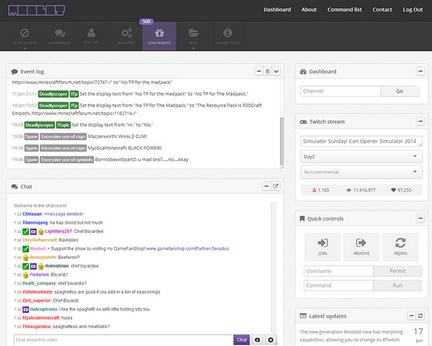
Moobot - features web based dashboard, customization, spam filters, commands, polls, giveaways, song requests, notifications


Nightbot - features dashboard, spam protection, custom commands, nightbot commands, timers, (regulars / subscriber features), song requests, giveaways


Deepbot - features desktop dashboard, user database / viewer log, raffles, commands, music, polls, mini games, betting, notification 

LoyaltyBot - javascript / node based loyalty bot.

SpottyBot -  is a bot for windows / mac which plays music from your desktop spotify application

WinterBot - open source bot

GeoBot - features commands

Xanbot - features commands

ModBot - is a desktop loyalty bot.
Wednesday, August 26, 2015

Basic information for building viewership

Here are some generic methods that should help you get more viewers on twitch.tv.
building viewership guide for streamers
  • Setup a schedule - post the times you will be streaming so viewers have a time frame to know the next time your on.
  • Network - make friends with other streamers, websites, media... try not to view other streamers as competition, be friendly with everyone, especially troll types. 
  • Select Games & Content you enjoy - do not just join the bandwagons of the latest hype game, hype games traffic doesn't last and other large variety streamers will always take the bulk of this traffic. Some people will get lucky using the latest hype game streaming method, but they usually resort to extreme gimmicks to draw in random people in...
  • Create a brand to advertise yourself as with a custom logo, a brand name which can be use down the line for marketing.
  • Video & Audio Quality - make sure your stream A/V settings are the recommended levels for twitch. Standard resolution and bitrates are 720p30, 720p60, 1080p24, 1080p30
    Bitrate for 720p from 1500 to 3000
    Bitrate for 1080p from 3000 to 3500
    Note: Max bitrate twitch is currently 3500 6000
  • Embedding & Syndication - see this post
  • Webcam - seeing a streamer can do wonders, try to get a green screen to make it look more professional. One main reason why is because of how peoples brain's work. We are wired to remember faces more easily then just text or voice.
  • Layout / Presentation - stream overlays are important, make sure these are as professional as possible.
  • Audio / Talking - dead air is generally very bad, fill the dead air with commentary, if you cant find anything to talk about with the current game your playing, talk about other games, tv shows, latest news.
  • Music - if your going to use music, make sure its all music you have permission to use.  Twitch went out of there way to create a useable music repository, you can find that here: music.twitch.tv
  • Highlights / Past Broadcasts - make highlights from your previous broadcasts with detail descriptions and good titles, do not be lazy about this! Review your past broadcasts to see if there is any A/V issues.
  • Social Media - in this day and age you have to have a twitter, facebook page and most likely a instagram +others.  If you do not then go ahead and create profiles on each of them using your brand name.  Follow other streamers in your game niche and participate in the conversations.  Social media sites are another great way to network.
Tuesday, August 25, 2015

Getting more viewers via embedding!

How to get more viewers on your twitch.tv channel?

I've seen this question asked over and over on twitch's subreddit with generic responses.  Here is my view on how to get more viewers watching your stream using embedding.

Basically it involves syndication with embedding your stream on gaming related blogs that you own and operate, also other 3rd parties. Don't have a blog or website? Why not? Get one started on blogger, wordpress or many other places. Its very easy to get something started. This blog is a recent creation and as you can see sidebar there is a embed player advertising my channel. I have embedded my stream so whenever I am live it will show up.

How do you find your embed code on twitch.tv?

Step 1: Go to your stream url, then click on the share button


and it will show a section called, "Share via"

embed button twitch tv

Then you want to click on the purple button listed as embed.

Step 2: A pop up window will display with 2 various ways to embed the video player to 3rd party websites or blogs.

Here is a screenshot of what that looks like on my screen.

Embed pop up window

Using Javascript method is what I post on my websites and blogs.

Here is my exact javascript code:

<script src="https://player.twitch.tv/js/embed/v1.js"></script>
<div id="daopastream"></div>
<script>
var options = {
width: 400,
height: 300,
channel: "daopa",
muted:true,
parent: ["twitch-tv-tips.blogspot.com"]
//video: "{v130023526}"
};
var player = new Twitch.Player("daopastream", options);
player.setQuality("360p");
player.addEventListener("play", function(){
console.log("Twitch tv player is ready");
player.setMuted(true);
player.setVolume(0.00);
});
</script>
If your going to use the above code, you have to make sure to change the channel to your channel's name and also the parent parameter to your websites URL.

Using the iframe method is also available, here is the code snippet.
<iframe src="https://player.twitch.tv/?channel=daopa&parent=twitch-tv-tips.blogspot.com" frameborder="0" allowfullscreen="true" scrolling="no" height="378" width="620"></iframe>

As with the other code, change the channel and the parent name to you own stuff.

Step 3: Take the embed code and post it to your website or blog.

Some additional guides on how to embed to various content management systems.

  • Wordpress - guide on how to put your stream on a wordpress website.
  • Blogger - tutorial on how to embed your stream on blogger / blogspot.
  • Advanced Embed Code options - lists more parameters and settings for embedding.

Other 3rd party sites that you can get your stream embedded on include but not limited to the following.
Anook.com (example), create a account and then link your twitch to your profile, it will show up on your user page and on the frontpage if you have high viewer count.

Raptr.com (example), similar to anook, link your twitch account and it will populate your stream data to your wall.

Goodgame.ru (example), I managed to get help with a viewer who speaks/reads russian in order to get posted here, but again another place to embed your stream even thou its a foreign language it doesn't matter.

Facebook / Twitter,  Twitch use to be embeddable on both of these social media sites, but something changed and it doesn't work as it use to but never-less its still a good idea to post your stream on your twitter and facebook social media pages. It will create a link back to your stream and hopefully in the future the embed stream feature will come back again so people can view the stream directly from inside facebook or twitter.

Update 2/3/2018 - You can embed your stream on Twitter now, follow the link for the guide writeup.

Update 5/7/2018 - Selective Gamepedia wiki's automatically embed the top stream on the bottom of their content pages.

There is no way to embed a live stream on Facebook, the only way to get a stream embed on facebook is using their streaming service.

There is also other sites that automatically pull information from Twitch's API for channels.
Just being in a certain game directory for a while will get you listed on these types of sites.  Here is a example, this website (site removed no longer active* updated 3/18) pulls streams that have streamed minecraft. As you can see it still has my stream embedded even thou I do not currently stream minecraft. This is one of many aggregators that do exactly this sort of a thing but for other games and niche's. Being listed on these types of sites helps out also even if its a viewer here and there.

See more: 3rd party aggregators list - recently updated on 1/12/2023

Other things to consider are viral bombs, a term I made up recently. 

A viral bomb is when you are doing something very unique that gets the attention of many 3rd parties which then others pick up with and syndicate out. Example of a recent viral bomb that happen to my streaming channel was during a eve online streaming session covering a large player created battle involving thousands of players from all over the globe. Polygon picked up on the battle and created this article which before the update included a embed of the stream. Polygon is syndicated on many other sites, so my stream was then also embedded on many other websites. Other sites that ran the story & embed: PCGamer, MMORPG, PCGamesn, Yahoo Games + many others. What did this do for the channel? Hit record number of viewers for that day and continued higher viewer counts for the rest of the week. Even thou this event happened in april, the embeds are still there and this still is providing viewers.

Downside of having a strong embedding strategy.

One downside of having a massive amount of embed viewership is being accused of viewbotting. Many people will mistakenly assume you are viewer botting because of the imbalanced of the chat to view number ratio. Lucky for you these type of people are very simple to ignore. 

See more: How legal viewbots thrive is a false narrative

(Update 2/3/2018 - If you want to take a peak at what type of hate may occur if you have a strong embedding strategy - check the following blog posts: With success comes hate2 curious partners, Berry Nice)

And do not worry if these random people are going to report your channel, embed viewership is tracked and logged. Both Twitch and broadcasters can view embed stats in the dashboard. Just in case you have no idea how to find that sort of information here is how to see that sort of intel.

Go to your dashboard, click on stats then switch the group to URL check "Views from Outside Twitch (Top 10)", this will then show you the root domains of all the sites that have your channel's embed on.

Thanks for reading, fill free to post comments and questions here or find me at my twitch.tv channel.